← Learn Goldfindr · Goldfindr home
Take it to the field
Pin it. Plan it. Pack it. Go. Plan a trip from your pins, pack it while you have signal, and work the ground with no bars. Watch the 71 seconds of video, or read the same walk-through below it.
— or read it —
Plan a trip from your spots
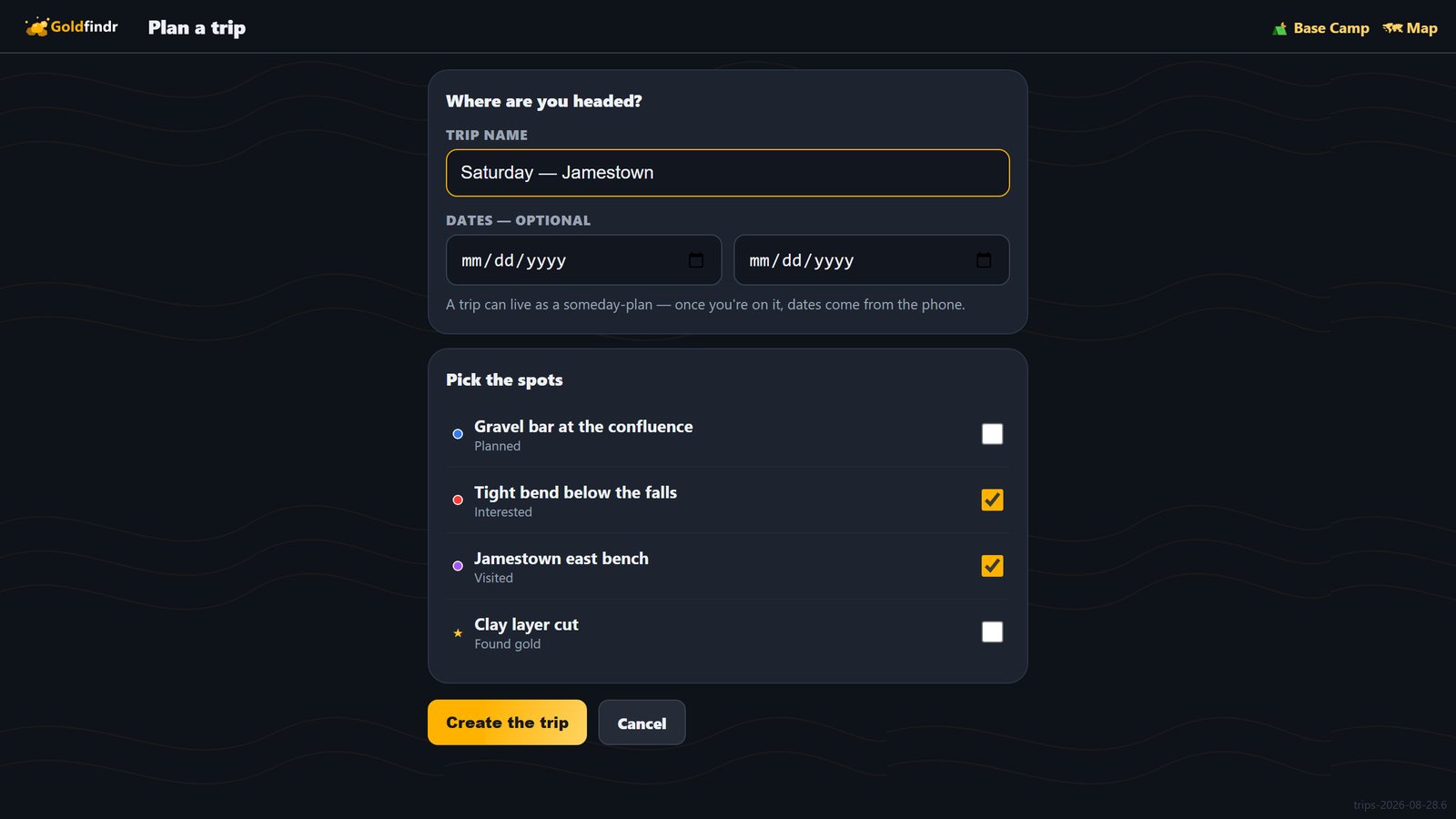
You've got a few spots in your book you like the look of. Go to Trips, hit Plan a trip, tick the ones you're headed to, and give it a name. That's your trip.
Pack it at the house
Pack for offline — do it while you've still got signal. Always packed: the gold favorability heat, topo maps, roads, streams and claim lines — the whole drive in, about 6 miles around each spot, and tight closeups. Satellite and bare-earth closeups are yours to add. It works out the size first; then one tap: Pack this trip.

It's on the phone
✓ Packed — maps & claim lines on this device · works with no signal. Repack any time the spots change; remove it from the phone when the season's done — the trip itself keeps.

Zero bars, the map still draws
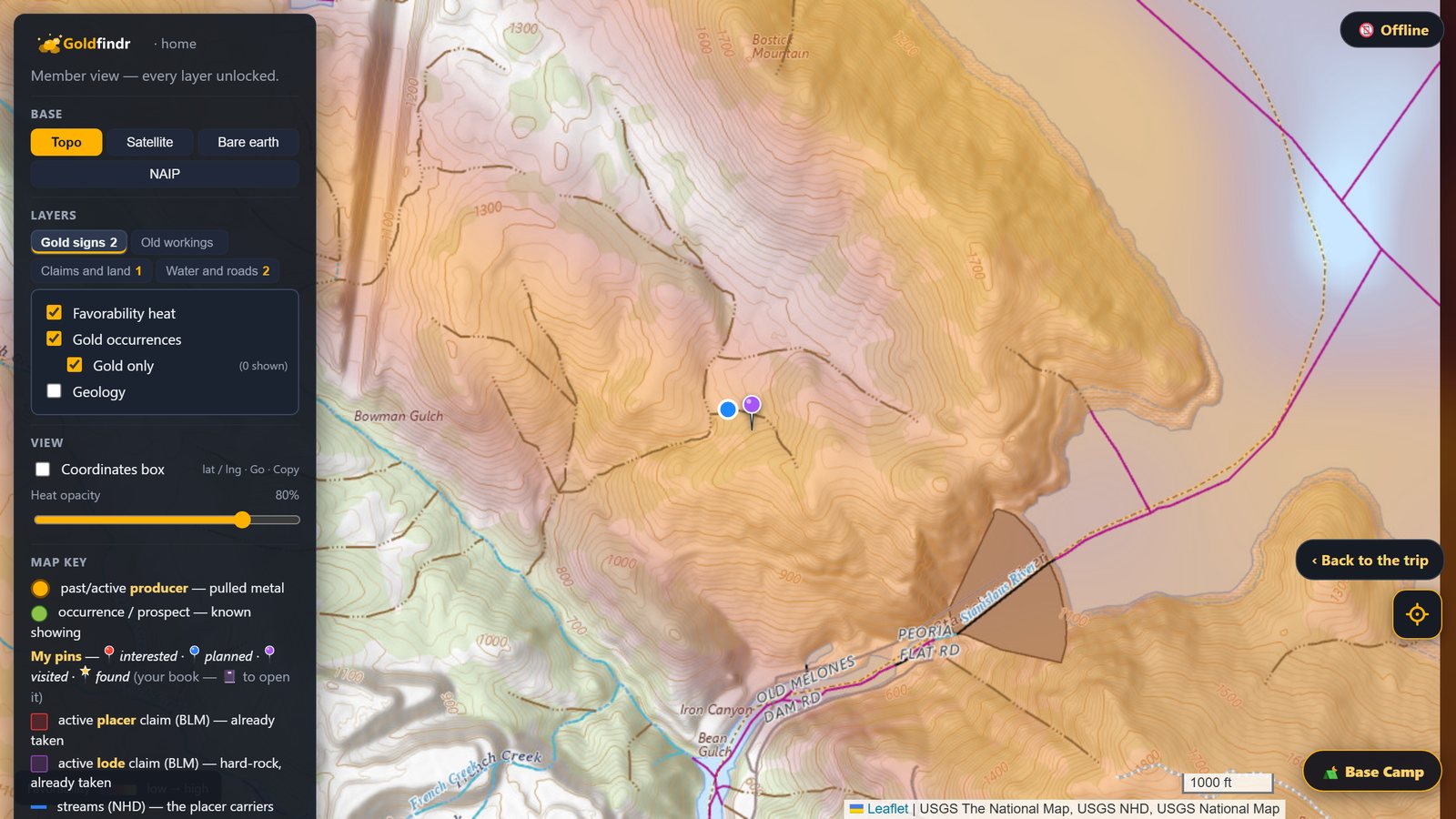
Drive out where the bars go to zero and open the trip. The map comes up like nothing happened — your spots, the heat, the creeks — and the blue dot is you, right there on it. GPS needs no signal; it never did.
You don't have to keep the page open on the drive: with no service, open goldfindr.app on the same phone and tap Trips — the app is saved on the phone along with the maps. (A phone that has never opened Goldfindr with service has nothing saved yet — open it once at home first.)
Log it out there
Whatever happens, write it into the trip — a note, a found. It waits in your pocket and lands in your book the minute you're back in range.